pacman::p_load(tidyverse)Hands-on Exercise 1
Getting Started
Install and launch R packages
The code chunk below uses p_load() of pacman package to check if tidyverse packages are installed in the computed. If they are, then they will be launched into R.
Importing the data
exam_data <- read_csv("data/Exam_data.csv")Rows: 322 Columns: 7
── Column specification ────────────────────────────────────────────────────────
Delimiter: ","
chr (4): ID, CLASS, GENDER, RACE
dbl (3): ENGLISH, MATHS, SCIENCE
ℹ Use `spec()` to retrieve the full column specification for this data.
ℹ Specify the column types or set `show_col_types = FALSE` to quiet this message.Plotting a simple bar chart
ggplot(data = exam_data, aes( x = RACE)) +
  geom_bar()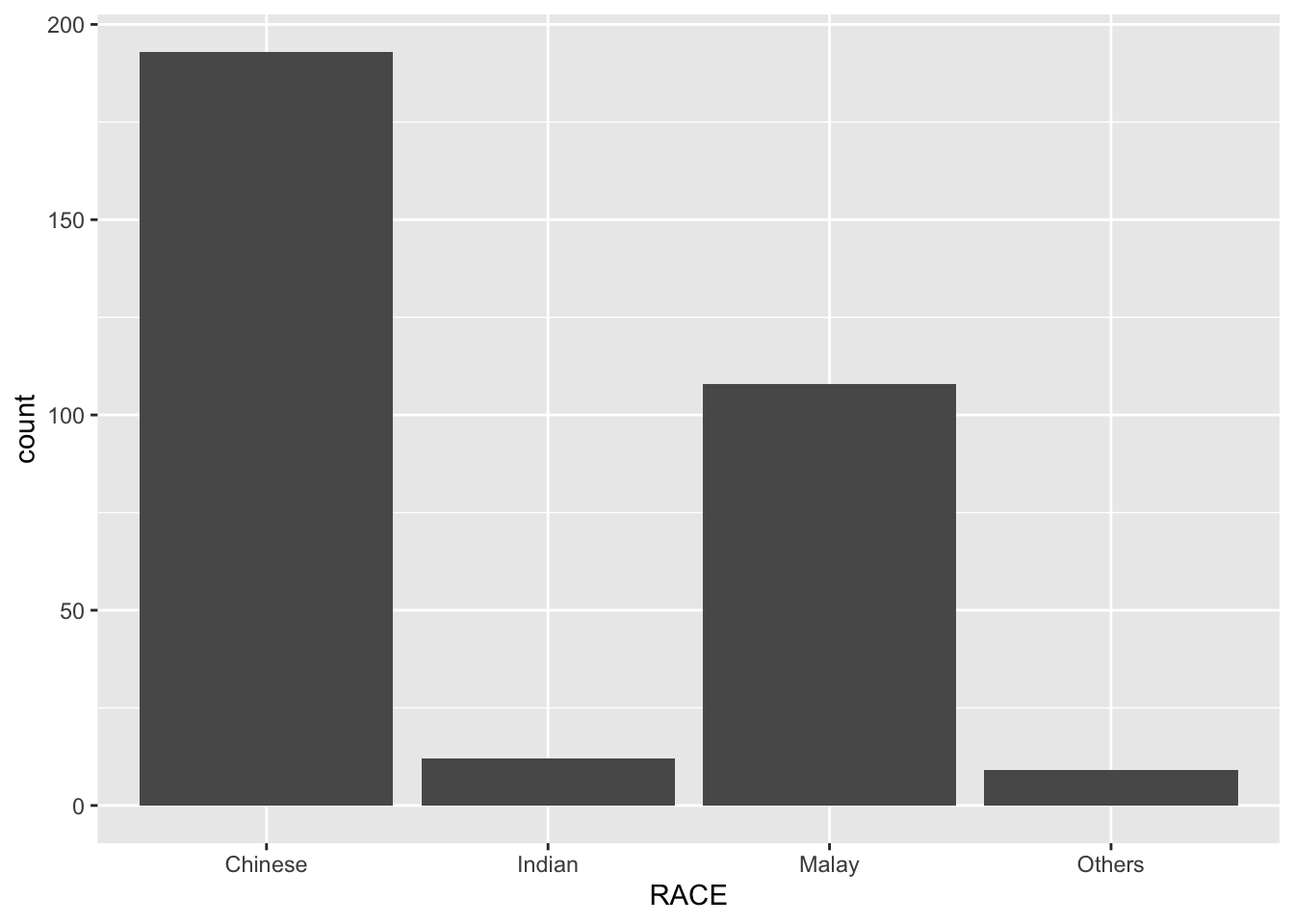
Horizontal Bar Chart with theme
ggplot(data = exam_data, aes( x = RACE)) +
  geom_bar() +
  coord_flip() +
  theme_minimal() +
  theme(
    panel.background = element_rect(fill = "lightblue", color = "lightblue",
                                    linewidth = 0.5, linetype = "solid"),
    panel.grid.major = element_line(linewidth = 0.5, linetype = 'solid', colour = "white"),
    panel.grid.minor = element_line(linewidth = 0.25, linetype = 'solid', colour = "white"))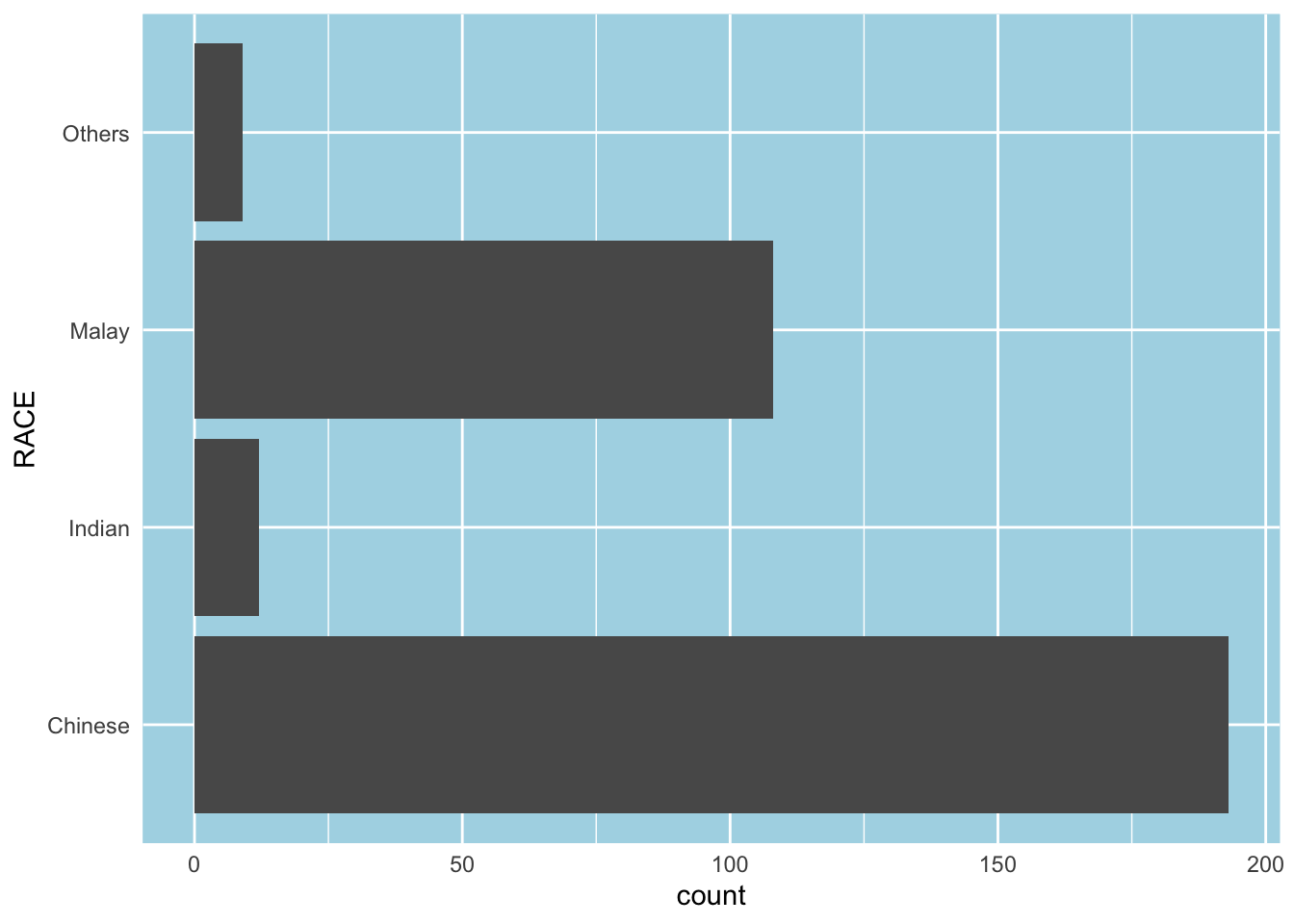
In-Class Exercise (Makeover #1)
ggplot(data = exam_data, aes(x=reorder(RACE,RACE,
                     function(x)-length(x)))) +
  geom_bar() +
  ylim(0,220) +
  geom_text(stat="count",
      aes(label=paste0(after_stat(count), ", ",
      round(after_stat(count)/sum(after_stat(count))*100, 1), "%")),
      vjust=-1) +
  xlab("Race") +
  ylab("No. of\npupils")+
  theme(axis.title.y=element_text(angle = 0))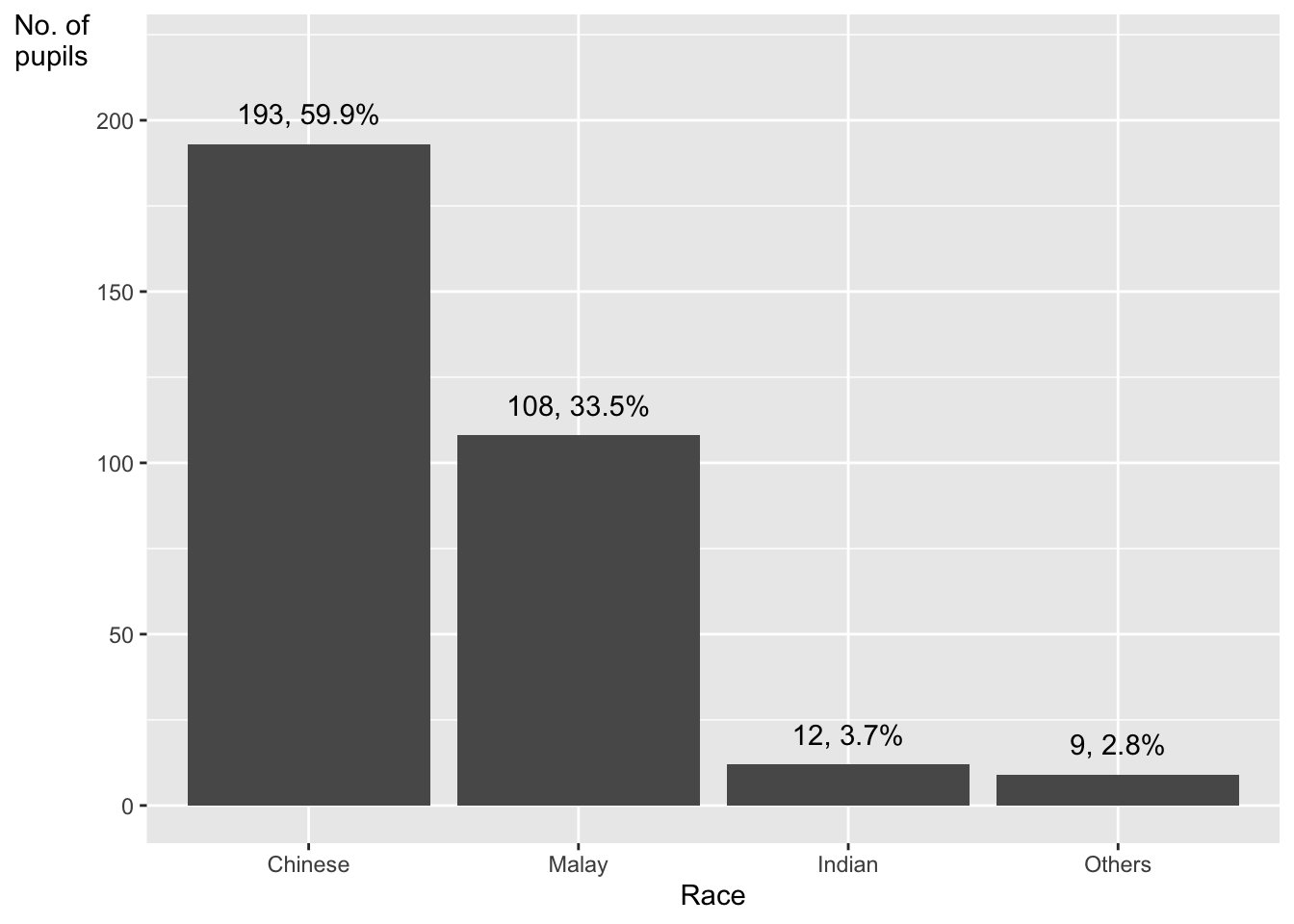
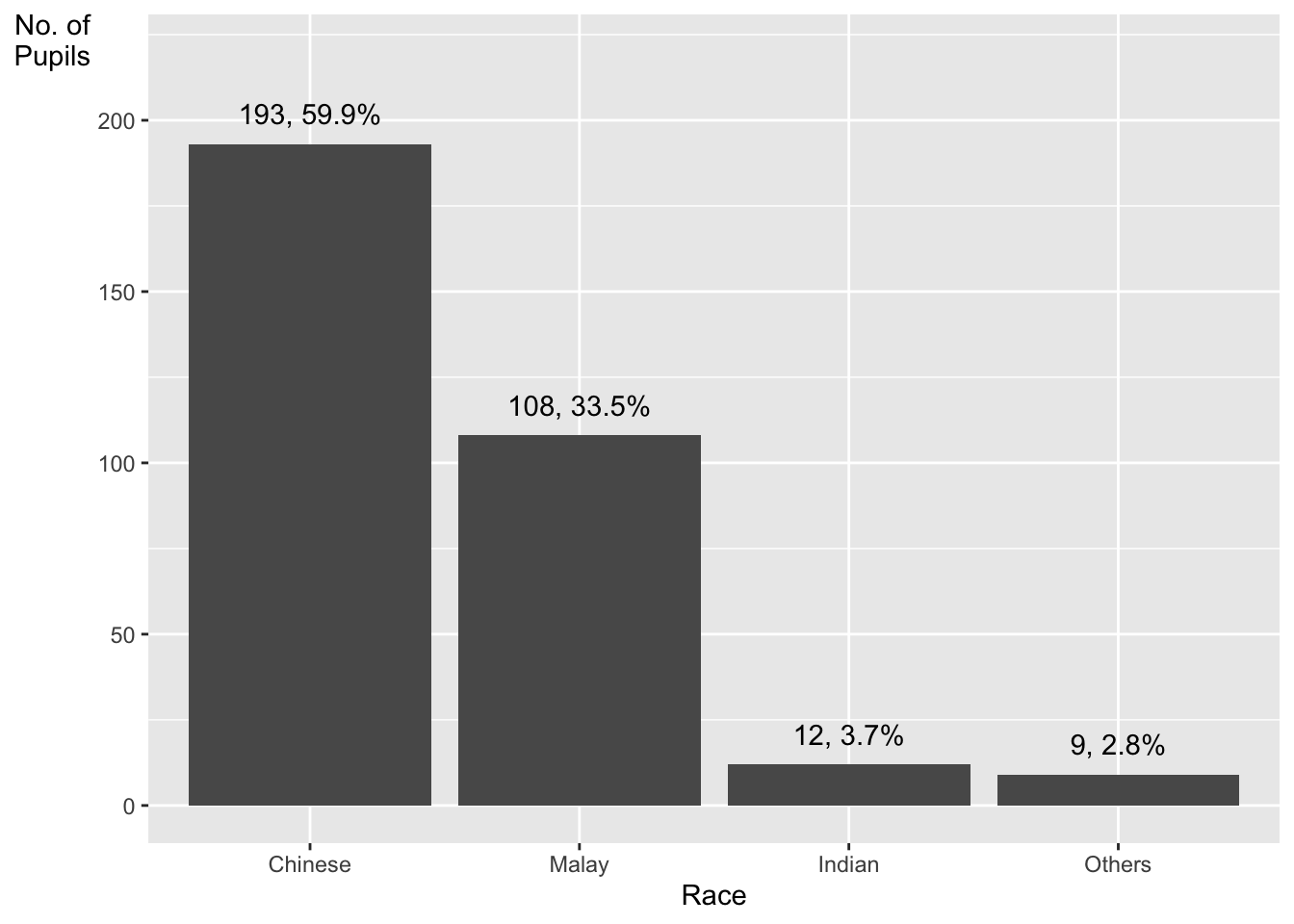
In-Class Exercise fct_infre()
exam_data %>%
  mutate(RACE = fct_infreq(RACE)) %>%
  ggplot(aes(x = RACE)) +
  geom_bar()+
  ylim(0,220) +
  geom_text(stat="count",
      aes(label=paste0(after_stat(count), ", ",
      round(after_stat(count)/sum(after_stat(count))*100,
            1), "%")),
      vjust=-1) +
  xlab("Race") +
  ylab("No. of\nPupils") +
  theme(axis.title.y=element_text(angle = 0))